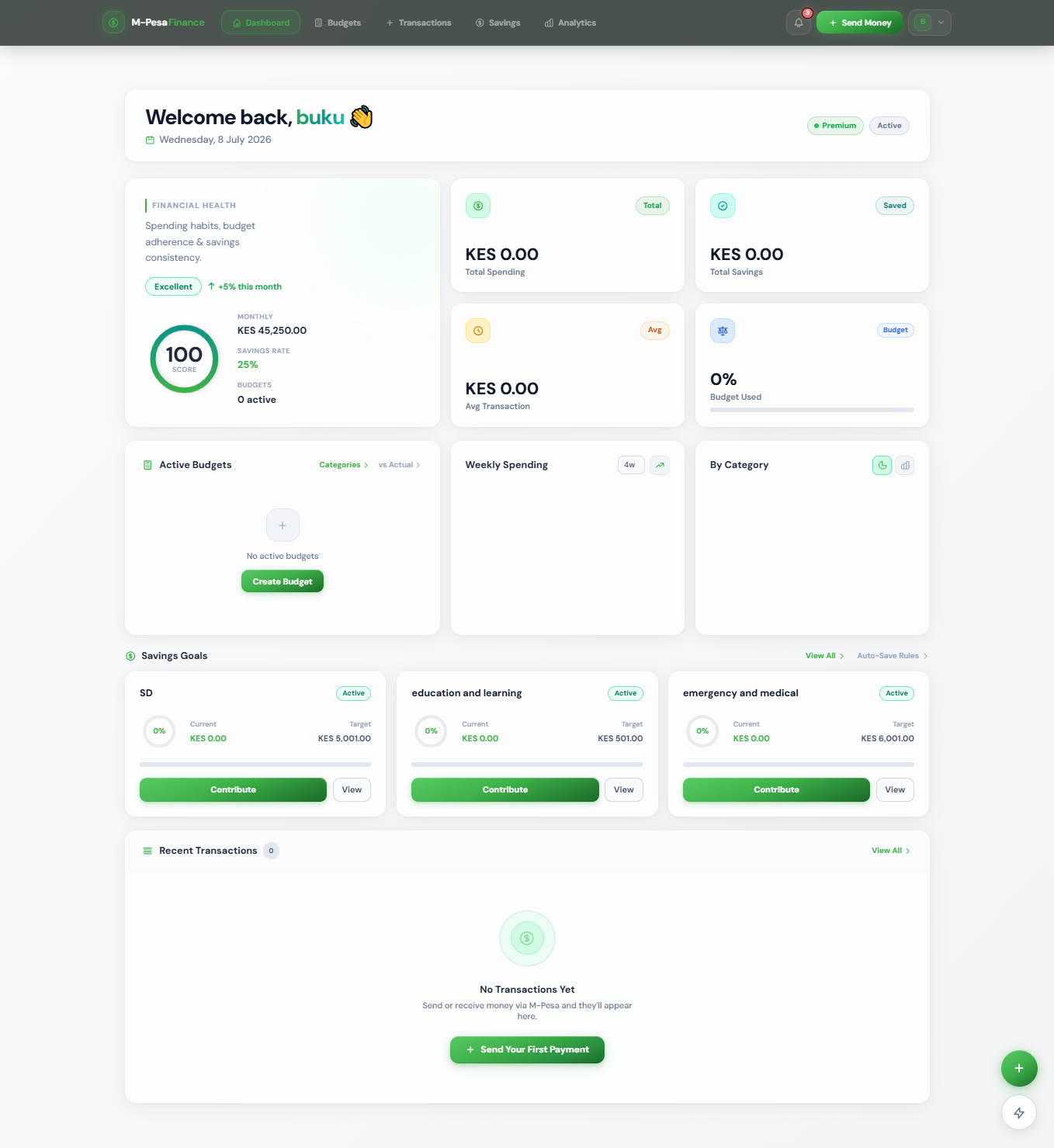
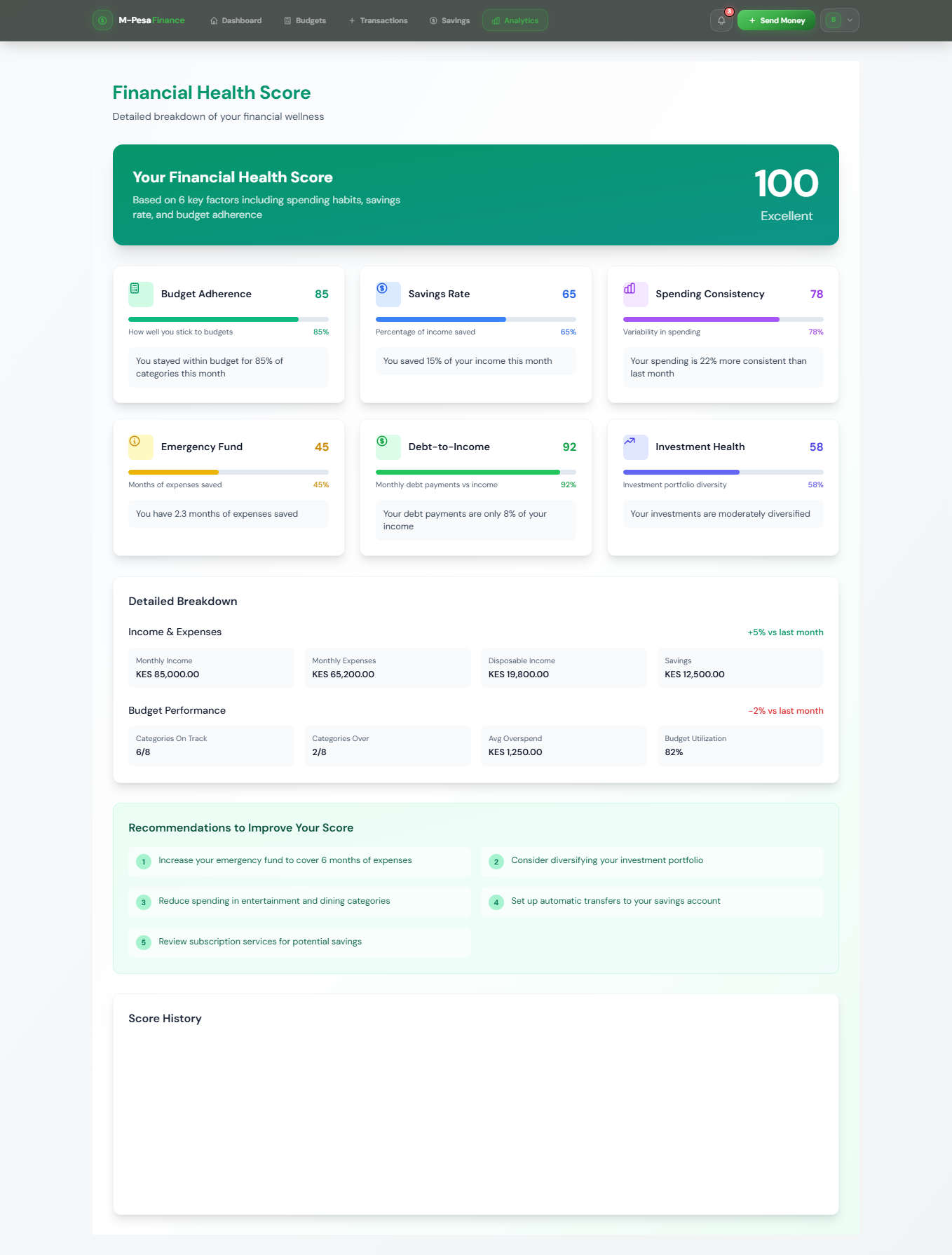
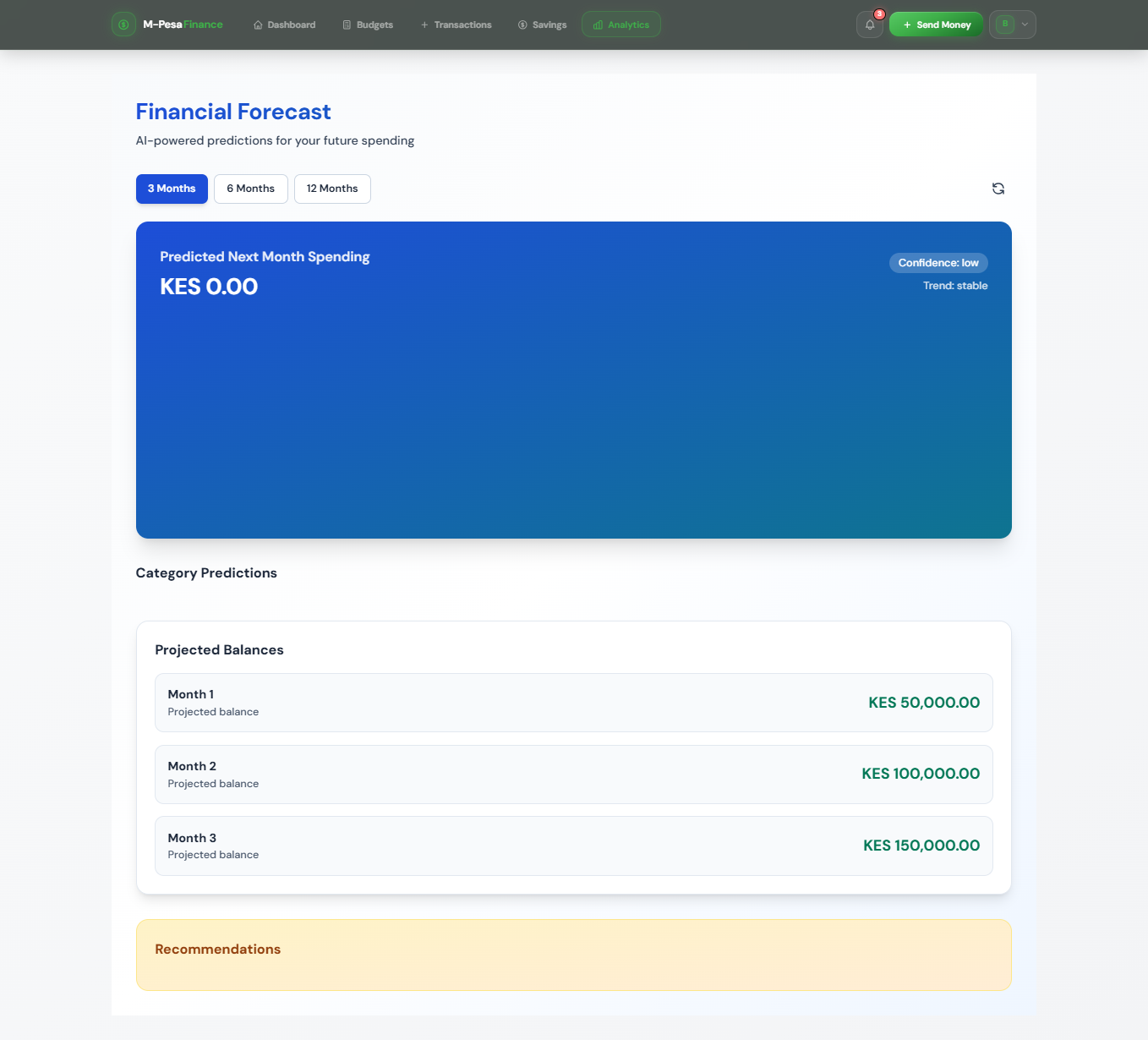
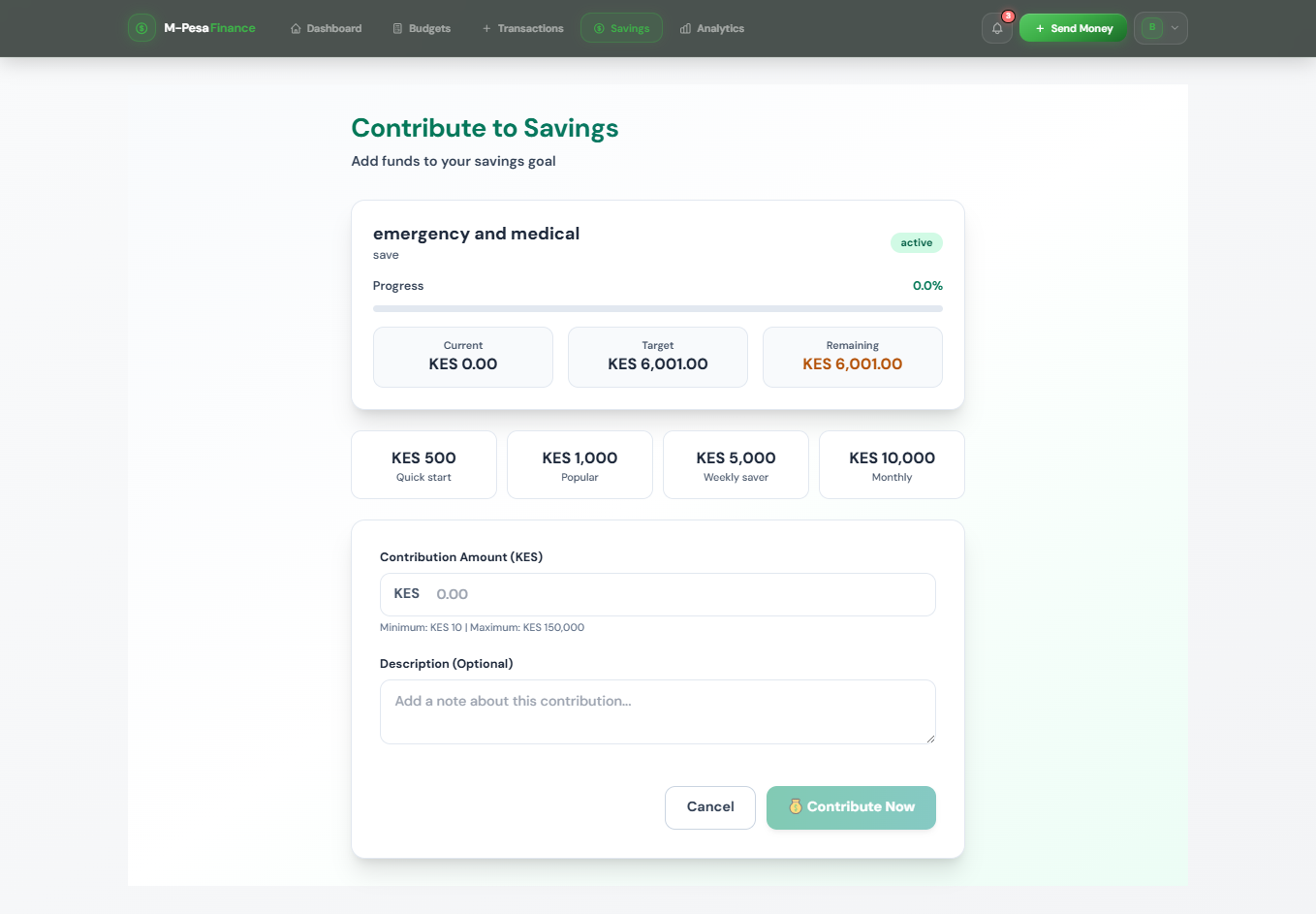
Here’s a clean, well‑organized markdown document you can paste directly into your portfolio’s editor. I’ve removed all specific monetary values and focused on the essential structure, features, and technical details.
# M‑Pesa Finance Manager – API & Platform Documentation
---
## 🔌 API Endpoint – STK Push
### **POST** `/api/mpesa/stk-push/`
Initiate an M‑Pesa payment request directly to a customer’s phone.
**Request Body**
```json
{
"phone_number": "254712345678",
"amount": 1500,
"account_reference": "INV-2024-001",
"transaction_desc": "Payment for groceries"
}
Success Response
{
"status": "success",
"message": "STK Push initiated. Check your phone and enter PIN.",
"checkout_request_id": "ws_CO_191120241234567890",
"merchant_request_id": "10001-20241119-123456"
}
Note: The callback URL is automatically registered with the M‑Pesa Daraja API during configuration.
Budget Management
Creating a Monthly Budget
- Navigate to Budgets in the sidebar.
- Click Create New Budget.
- Configure the following settings:
| Setting | Description |
|---|---|
| Name | A descriptive label for your budget |
| Period | Monthly / Weekly / Custom |
| Category | Select from predefined or custom categories |
| Start Date | When the budget period begins |
| Auto-Reset | Automatically renew after each period |
Budget Categories (Examples)
- Food & Groceries
- Transport
- Airtime & Data
- Entertainment
- Shopping
⚠️ Alert: You are approaching your spending limit in selected categories.
Savings Goals
Emergency Fund – Overview
| Property | Description |
|---|---|
| Goal Name | Custom name for your savings goal |
| Progress | Visual indicator (percentage bar) |
| Deadline | Target completion date |
| Status | On Track / Behind / Completed |
Auto‑Save Rules
- Round‑up transactions to the nearest 100
- Save a fixed percentage of every M‑Pesa deposit
- Fixed recurring savings contribution (e.g., weekly)
[img:savings-progress-chart]
📊 AI Analytics – Monthly Spending Insights
Spending Summary
- Total Spending – aggregated across all categories
- Top Spending Categories – ranked by expenditure
AI‑Generated Insights
- 🔥 Predicted next month spending – seasonal trends and forecasts
- ⚠️ Anomaly Detection – unusual transactions identified for review
- 💡 Optimisation Suggestions – actionable tips to reduce expenses
Financial Health Score
- Spending within budget
- Savings rate (percentage of income)
- Emergency fund coverage (months)
📜 Transaction History
| Date | Description | Type | Status |
|---|---|---|---|
| Nov 19 | Supermarket Purchase | Payment | Completed |
| Nov 18 | Transport Fare | Payment | Completed |
| Nov 17 | Salary Deposit | Deposit | Completed |
| Nov 16 | Airtime Top‑up | Payment | Completed |
| Nov 15 | Auto‑save Transfer | Savings | Completed |
Transaction Summary:
- Total Deposits
- Total Payments
- Total Savings
- Net Balance
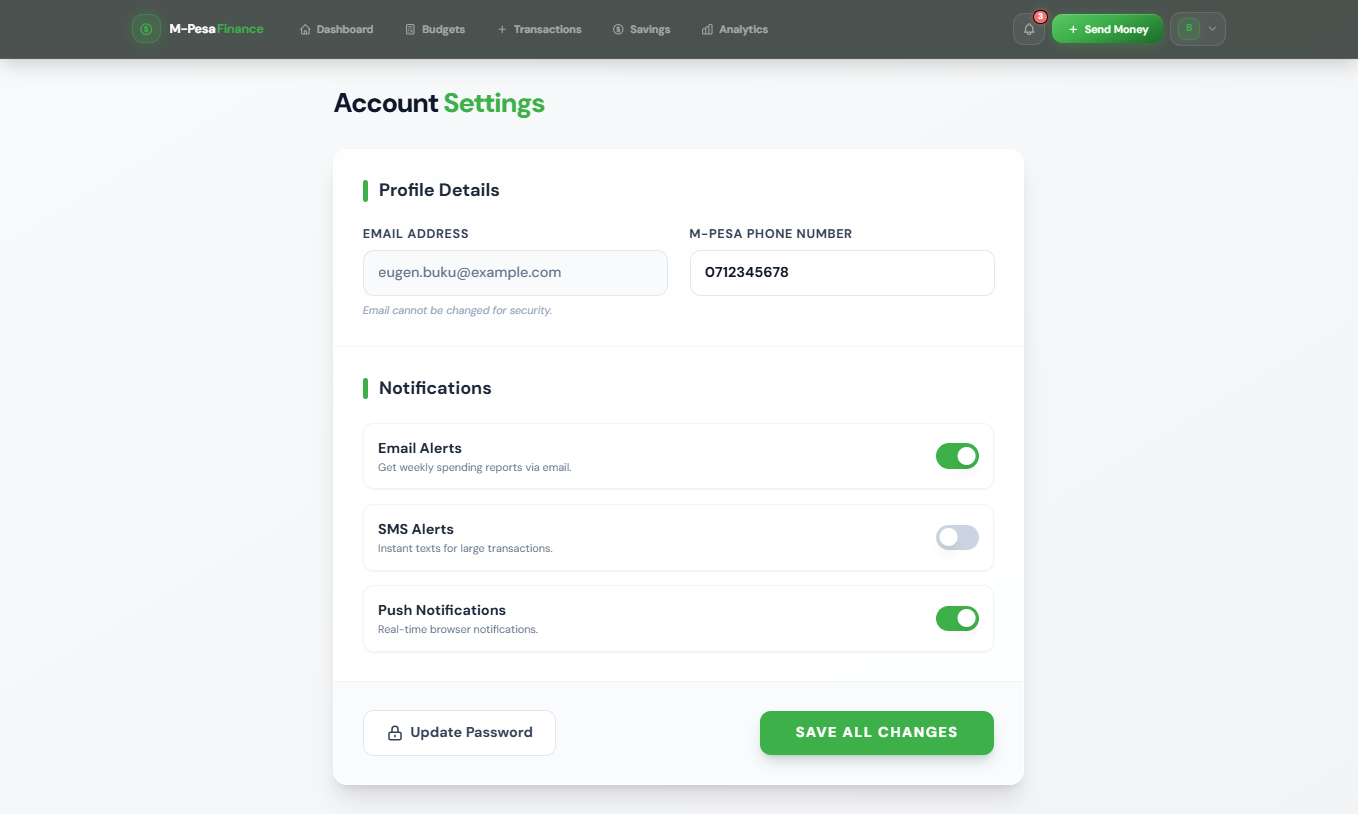
🔔 Notification Preferences
Configure Alert Channels
- Email notifications – daily summary
- SMS alerts – for large transactions
- Push notifications – real‑time confirmations
- In‑app alerts – budget warnings and milestones
- WhatsApp notifications – weekly reports
Alert Types
- Transaction Alerts – instant M‑Pesa payment confirmations
- Budget Warnings – triggered at 75% and 90% of budget limits
- Goal Milestones – progress notifications at key thresholds
- AI Insights – weekly spending pattern analysis
- Security Alerts – suspicious activity or new device logins
User Profile – Account Settings
Personal Information
- Name, Email, Phone Number
- M‑Pesa Account: Verified :white_check_mark:
- Member Since: [Registration Date]
Linked M‑Pesa Accounts
- Primary account (Safaricom) – Active
- Secondary account (Safaricom) – Active
Security Settings
- Two‑Factor Authentication: Enabled
- Last Login: [Timestamp]
- Login History: View All
Developer Quick Start
Clone and Setup Backend
git clone https://github.com/yourusername/mpesa-finance-manager.git
cd mpesa-finance-manager/backend
python -m venv venv
source venv/bin/activate # Windows: venv\Scripts\activate
pip install -r requirements.txt
python manage.py migrate
python manage.py createsuperuser
python manage.py runserver
Setup Frontend (Vue 3)
cd frontend
npm install
npm run dev
Environment Variables
SECRET_KEY=your-django-secret-key
DEBUG=True
DATABASE_URL=sqlite:///db.sqlite3
MPESA_CONSUMER_KEY=your-consumer-key
MPESA_CONSUMER_SECRET=your-consumer-secret
MPESA_PASSKEY=your-passkey
MPESA_SHORTCODE=174379
REDIS_URL=redis://localhost:6379/0
Important: Never commit your
.envfile to version control. Use.env.exampleas a template.
❗ Common M‑Pesa Error Codes
| Code | Description | Solution |
|---|---|---|
| 1032 | Request cancelled by user | User declined PIN entry on phone |
| 1037 | Insufficient balance | Advise customer to top up M‑Pesa |
| 2001 | Invalid initiator | Check Consumer Key and Secret |
| 5001 | System error | Retry after a few minutes |
| 1001 | Invalid phone number | Ensure number starts with 254 |
🚀 Tip: Always verify the phone number format is
254XXXXXXXXXbefore initiating STK Push.
Project Gallery
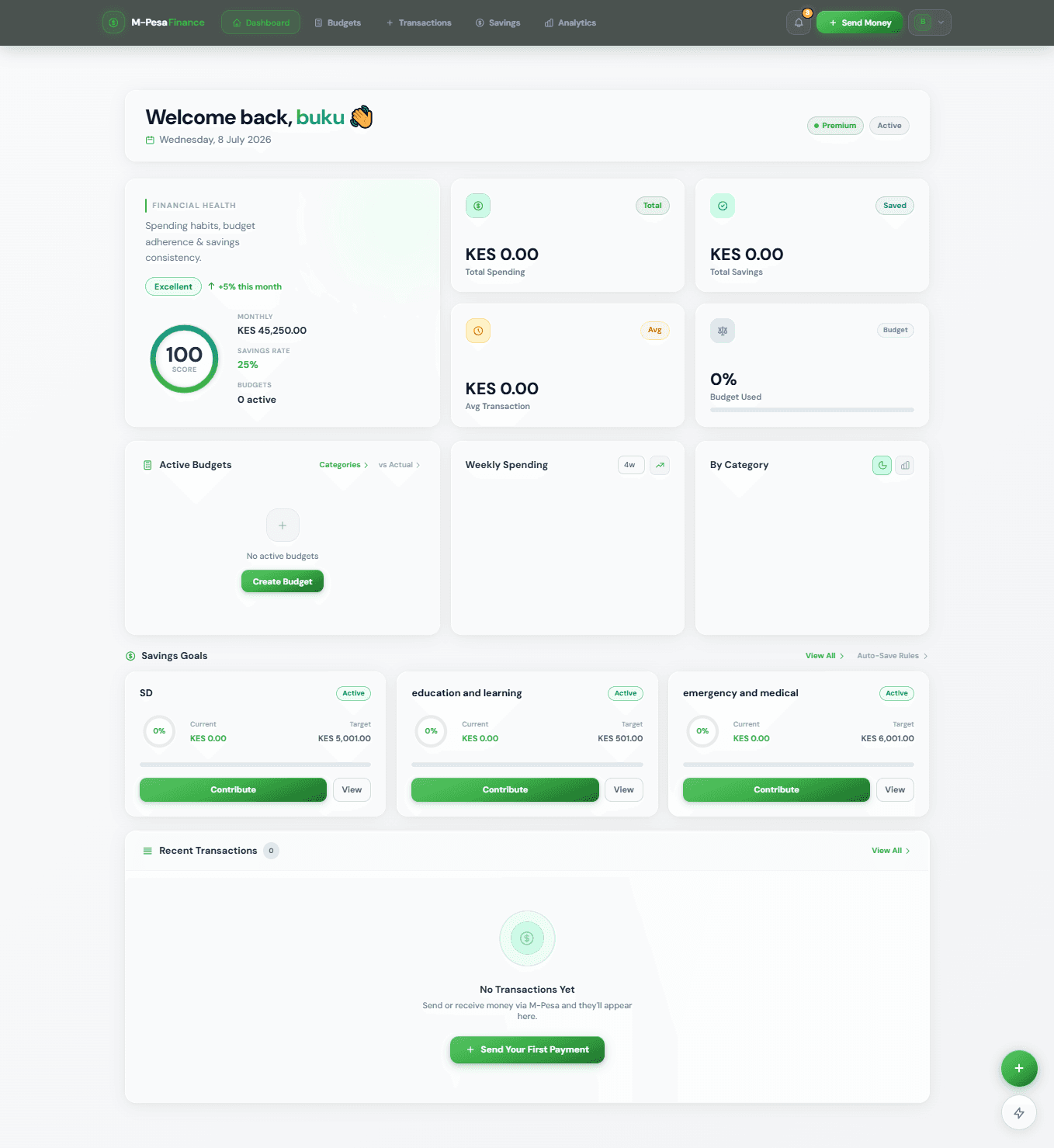
mpesa finance man landingpage.png
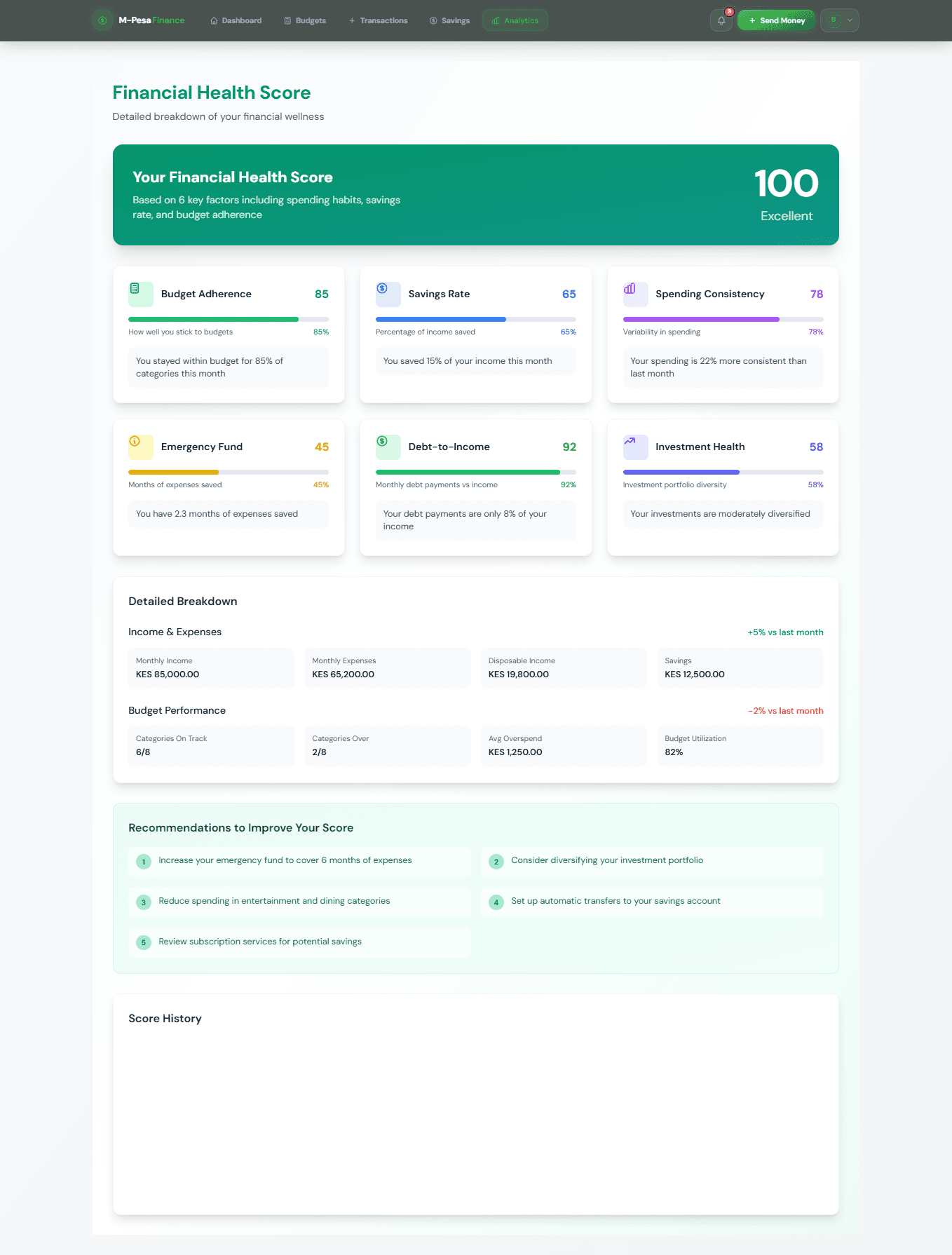
mpesa finance healthscore.png
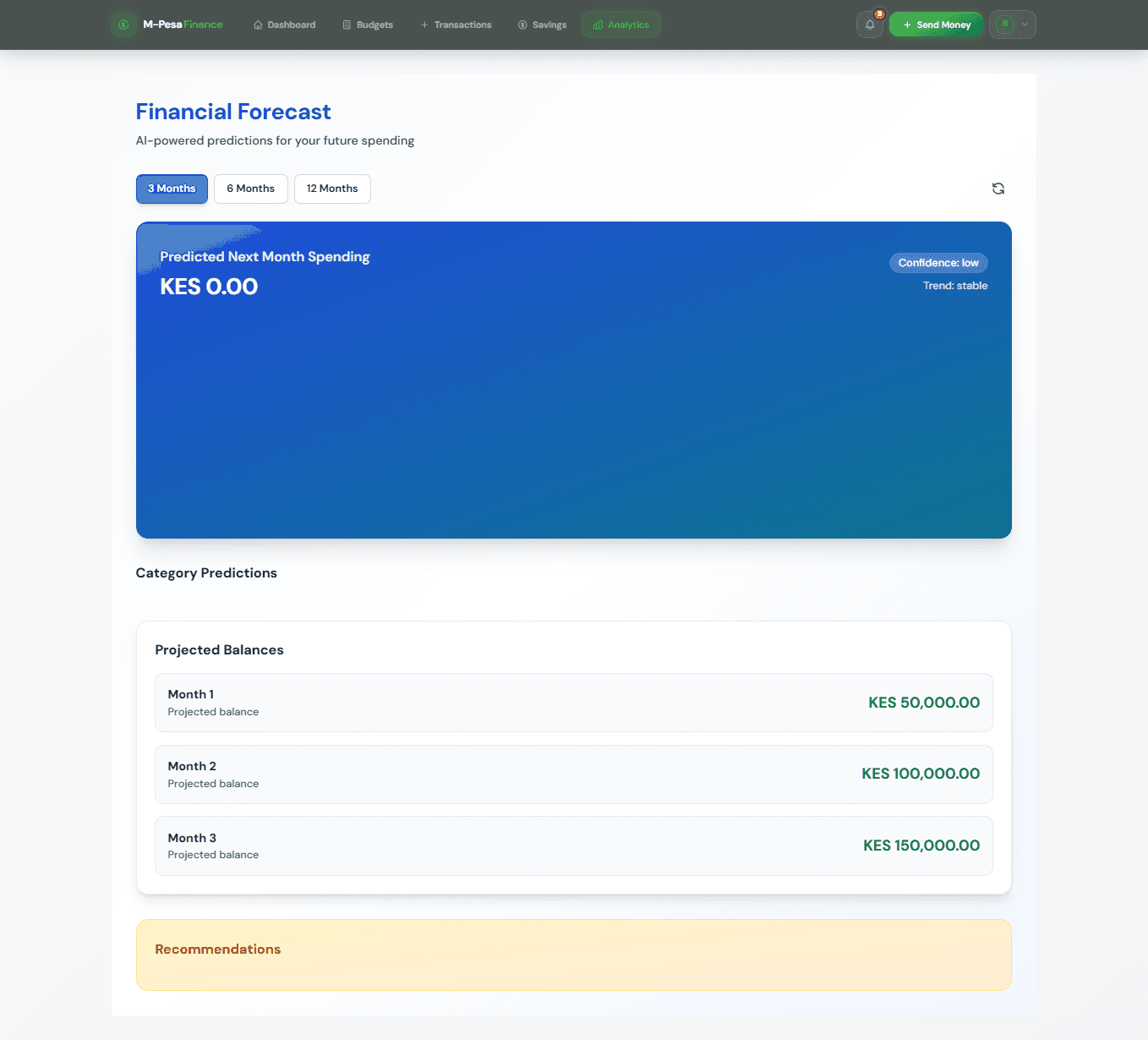
mpesafinance forecast.png
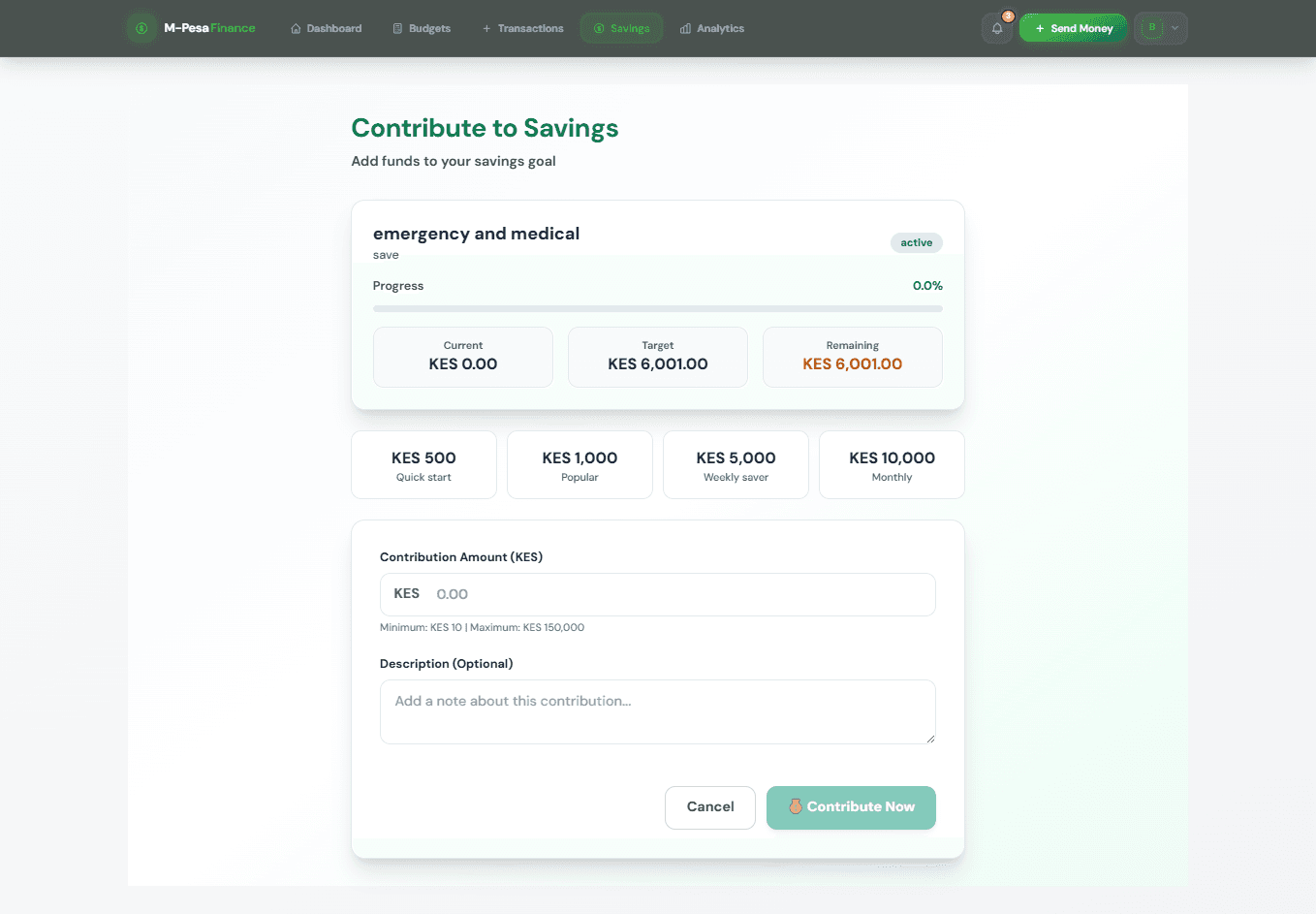
mpesa fiance contributesave.png
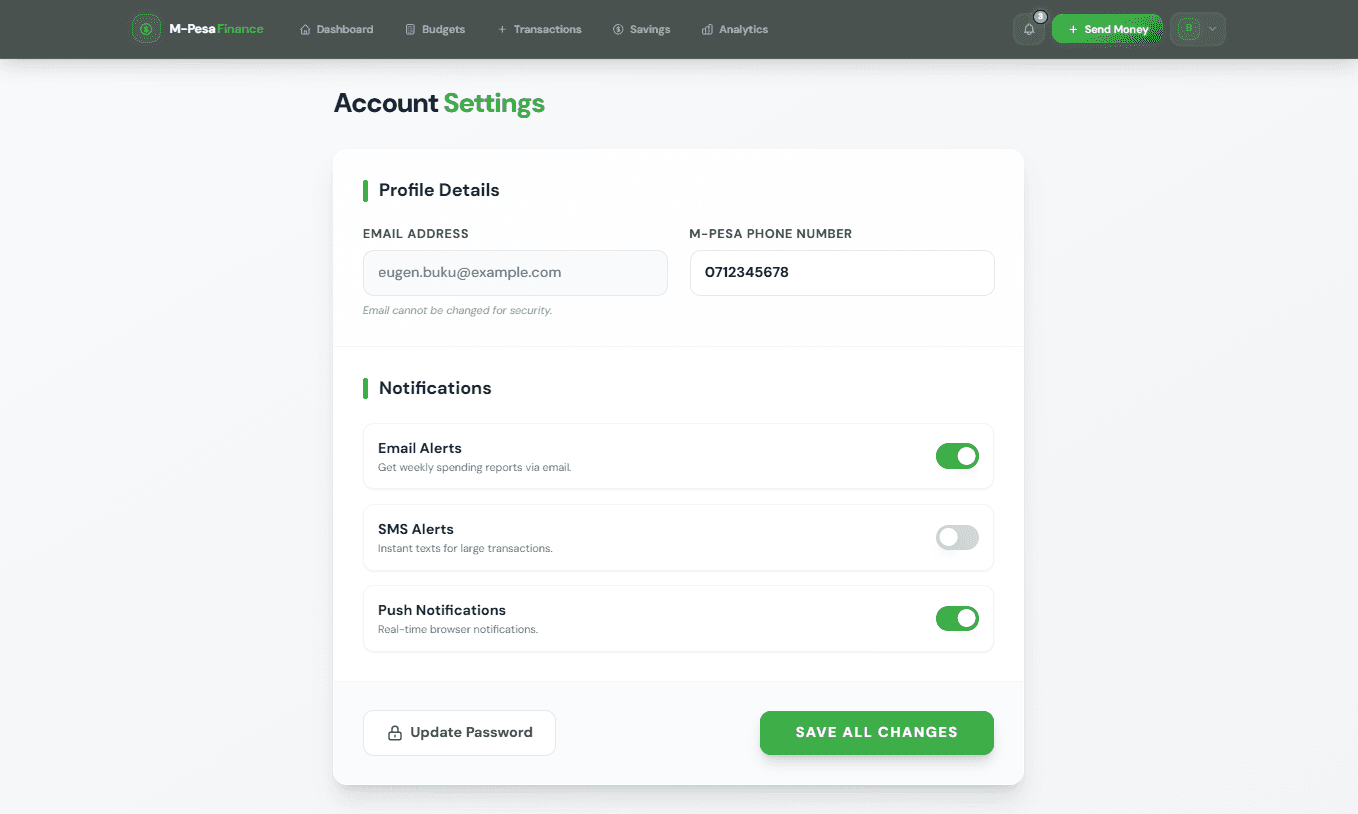
mpesa fiance settingspage.png